Welcome to….Project Mouse!
Posted on under NEW RELEASES, Project Mouse
I am so excited to share this with you today…seriously, I can barely breathe I’m so excited!
First of all, “We’re Going to Disneyland”! After 3 years since our last Disney trip, we decided it was time to go see Mickey again. This time we are taking our first trip to Disneyland. For all of you Disneyland veterans, I welcome ANY tips you have for a Disneyland newbie!!
Documenting Disney
As I was planning my trip, I started thinking about how to document this trip. I begin by looking at my last trip’s documentation… (an autograph book, 2 kids journal books, our main printed book, and a planning binder filled with planning sheets, schedules, notes, and other Disney paraphernalia). Whew! I love each of these, BUT there are a couple of problems. Problem #1) By the time I documented all of the Disney pages (some years later), I had forgotten a lot of the smaller memories. Problem #2) TOO many separate items!! So, I wondered how do I tackle this challenge this time around? I wanted ONE book, but also a way to document all of the details of the trip so I wouldn’t forget them. Problem #3) I need it to be quick and easy. It usually takes me years (yes, I say years) to finish an entire Disney book. I wanted something that would be easy and fast. How do I do this? How do I document the trip to cover everything from the planning stages, to an autograph book, to the details of each day on our trip…and keep it simple all at the same time?
Well, you may have heard about a little something called, Project Life. It was developed by Becky Higgins and it is a “pocket styled book” form of memory keeping. Basically you start with pocket pages in which you can insert different cards, journal cards, memorabilia, and photos in and those make up your layout. I thought this “Pocket Style” of memory keeping would be a PERFECT way to document our trip…
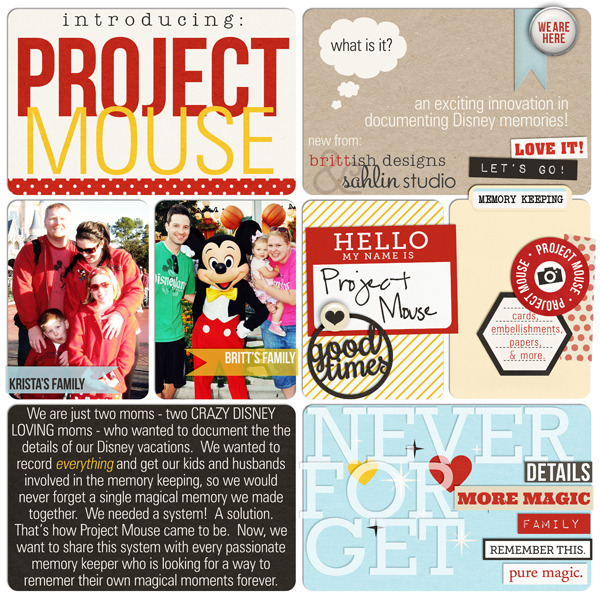
Introducing . . . Project Mouse.
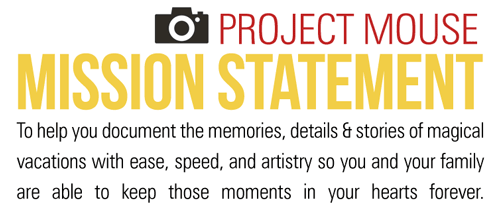
Britt & I really want to get across that Project Mouse is MORE than just another digi-kit. It’s a system, a solution, an important tool in your memory keeping. We even wrote up a Mission Statement.
Project Mouse: Bundle No. 1 – Basics
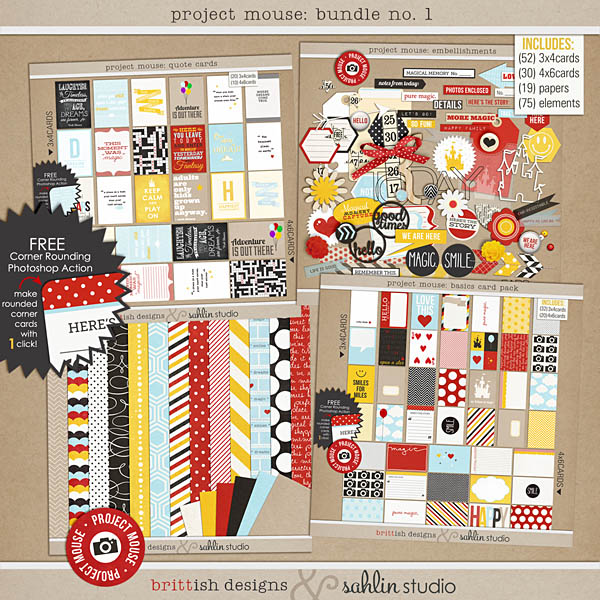
It comes bundled together for discounted price, but each individual pack is in the store as well.
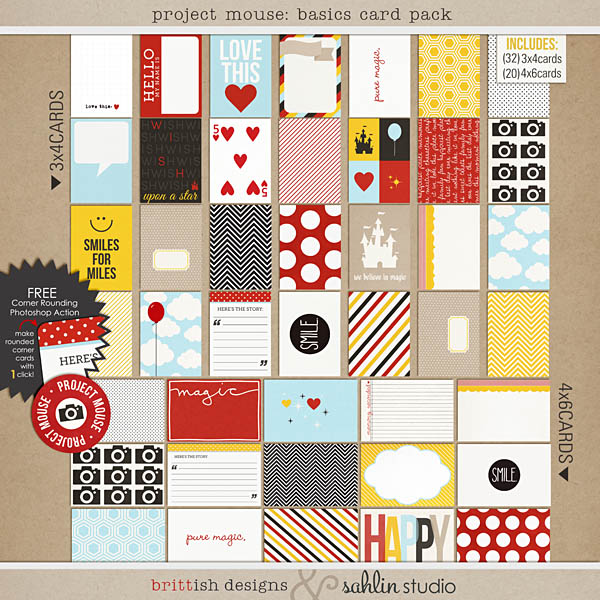
Project Mouse: Basic Cards
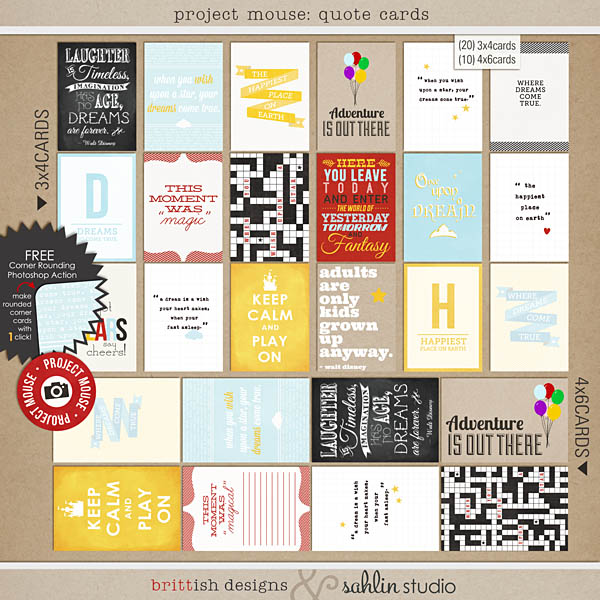
Project Mouse: Quote Cards
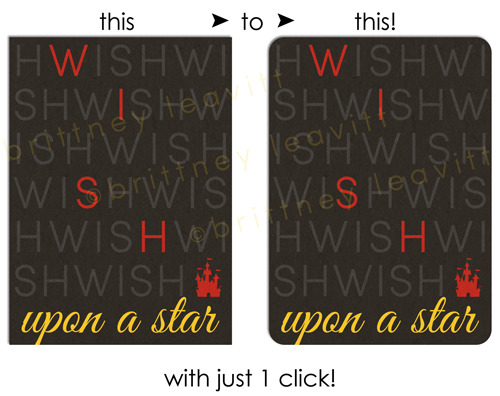
BONUS: FREE Corner Rounding Action
And for those interested in using Project Mouse as printables, you’ll be happy to know all the card packs come with easy pre-made printable sheets!
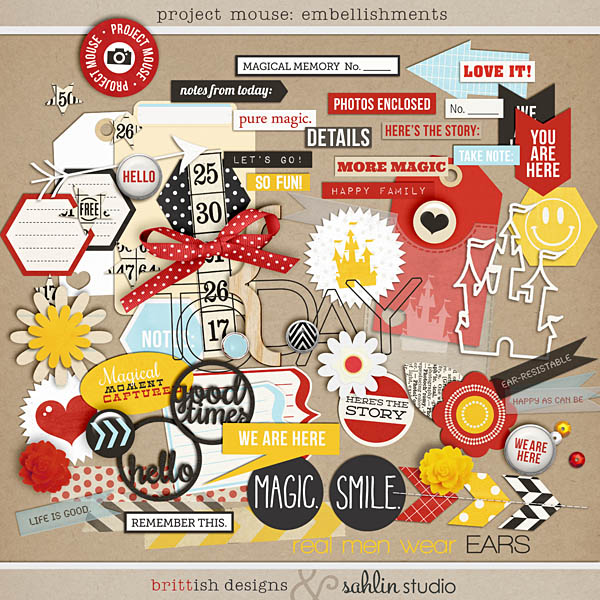
Project Mouse: Elements
Showing Off Our Project Mouse – The Basics (EXAMPLES)
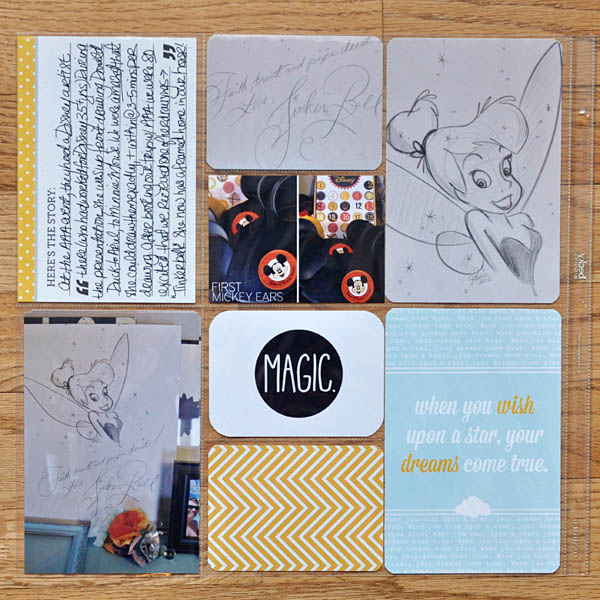
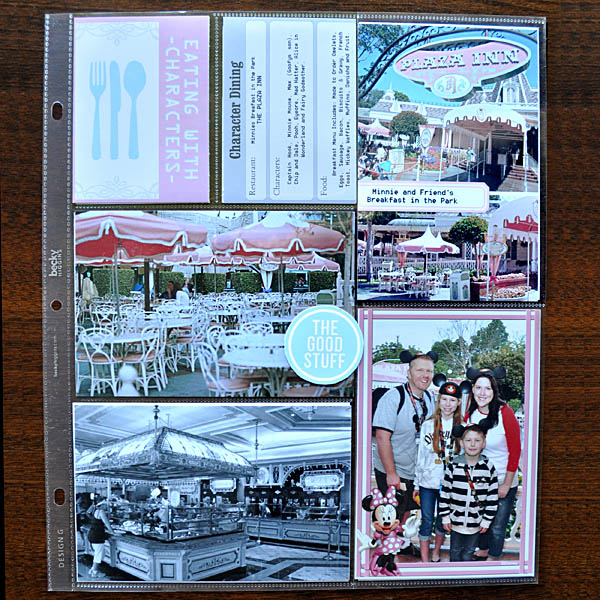
KRISTA >> My plan is to scrap my trip ENTIRE upcoming trip Disney trip and make it into a real life “paper” Project Life version of Project Mouse. My plan is to print and bring specific cards (coming soon) on our trip, so that at the end of the day I can hand my kids a card and ask them to write down their favorite thing of the day OR use the cards in the parks to collect autographs (then all that’s left to do is just slide them into my Project Life binder when I get home).
Here is my first printed Project Mouse layout for this trip:
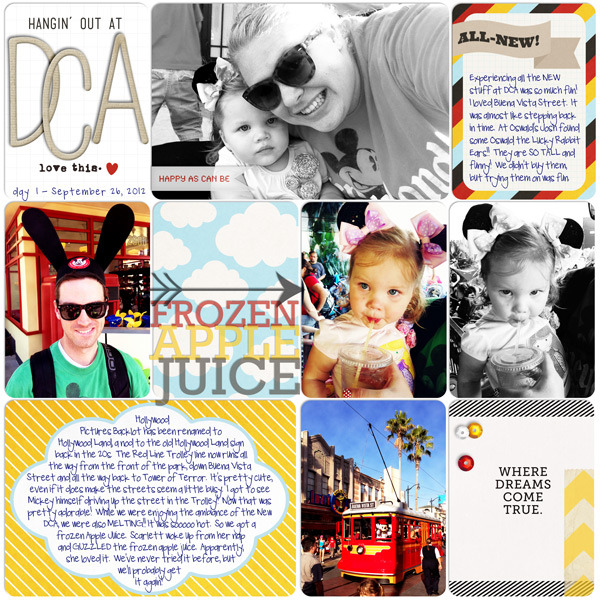
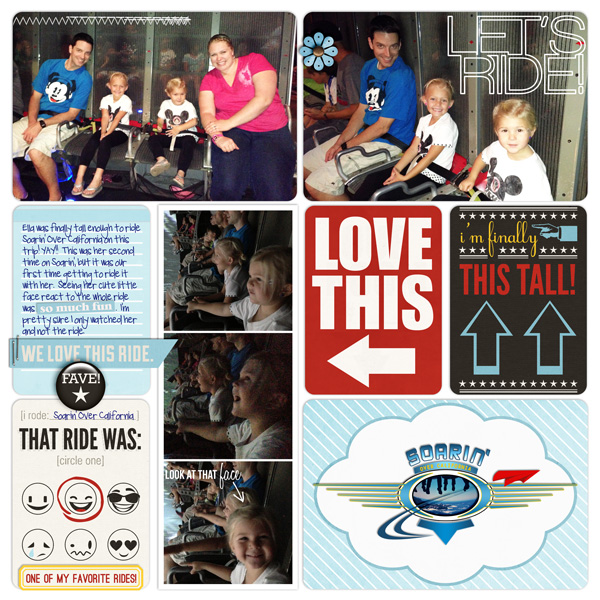
BRITT >> Britt will be doing everything DIGITALLY and she is conducting a little experiment. She will be trying to scrap her ENTIRE September 2012 Disneyland trip Pocket Style and will use Project Mouse to get things started!! Her goals are to see: 1) if she likes Pocket Style enough for an entire album 2) how much she misses creating traditional pages 3) how long it takes and 4) if Pocket Style is really as quick and efficient as she thinks it is.
Here is her digital page:
So we have both sides of the spectrum of how to use Project Mouse covered. Fun, yes?
WANT TO SEE MORE EXAMPLES USING PROJECT MOUSE: BASICS?
Want to see more creative inspiration using Project Mouse: Bundle No. 1 – Basics?
Click here to see examples from our creative team.

PProject Mouse: Bundle No. 2 – “Leading Up to the Magic”
THIS collection…it’s ALL about what happens “Leading Up to the Magic”! I believe that your vacation begins even before you get to that magical destination. Think of the memories created just anticipating your trip. From the moment your special destination is first revealed, to the booking of your trip, from creating countdowns to ticking off the days until you leave on your trip, to your flight and arriving at your destination…
We go through –> Countdown, Planning, Travel, and Arrival
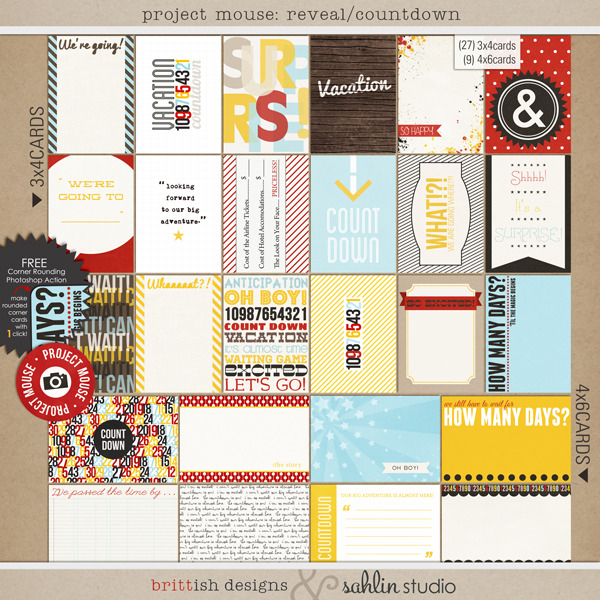
1) “Project Mouse: Reveal/Countdown”
2) “Project Mouse: Planning”
3) “Project Mouse: On our Way”
4) “Project Mouse: We’re Here”
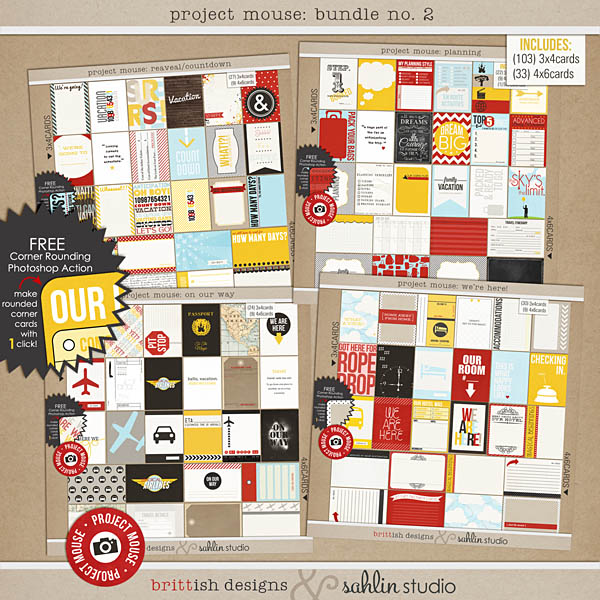
You can SAVE $$ buy purchasing the Project Mouse: Bundle No. 2 – “Leading Up to the Magic”
How are these Different? Memory Prompts
These packs are a little different from the last couple…How?? Well, we didn’t want to create something just to help scrapbook your trip…but something MORE that would actually help capture the DETAILS of your trip. Those little details and the small moments that have been easily forgotten or that you don’t always get photographs of. Included in each of these packs you will find numerous story prompts, blank forms, journalers, phrases, and memory joggers to help trigger and capture those small moments of your trip.
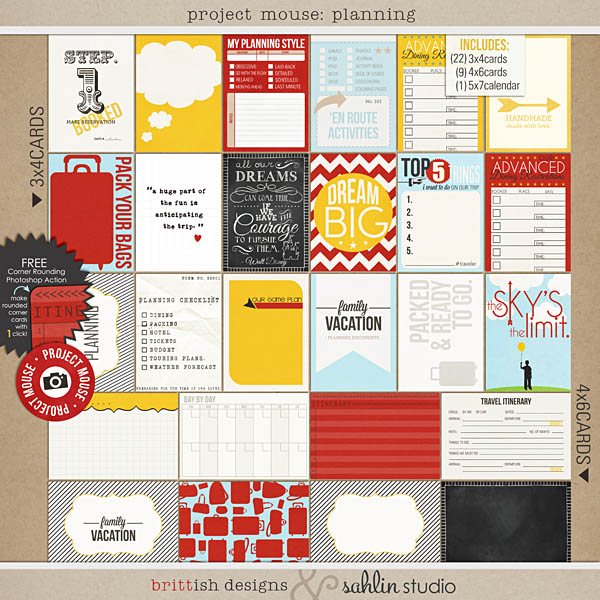
Project Mouse: Planning
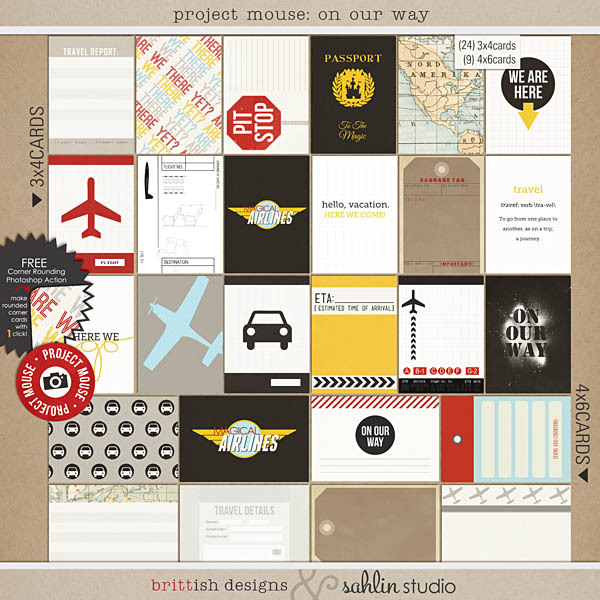
Project Mouse: On Our Way
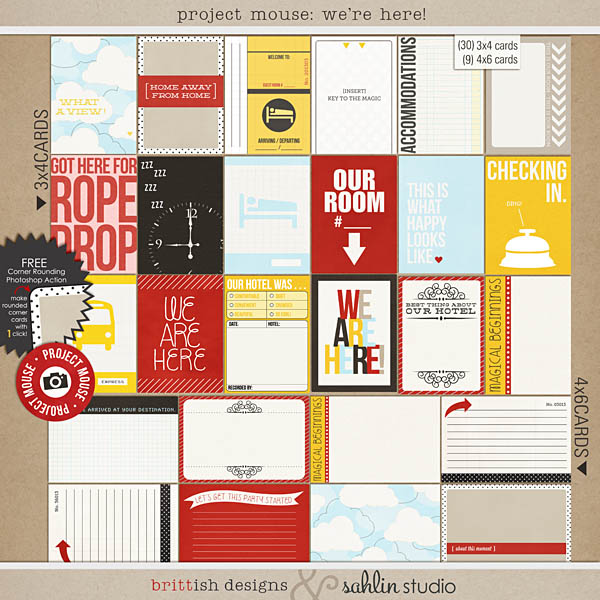
Project Mouse: We’re Here!
Showing Off Project Mouse – Leading Up to the Magic (EXAMPLES)
KRISTA >>>>> I can not tell you how much fun doing the project is…we haven’t even left for our latest trip yet, but I’m capturing all these fun memories that we’ve made before the actual trip has even begun. I truly am enjoying myself with this hybrid pocket style album. It’s been fun to put in bits of notes the kids have written and drawings that my son drew of Donald Duck. I will be posting about this soon on my blog!!
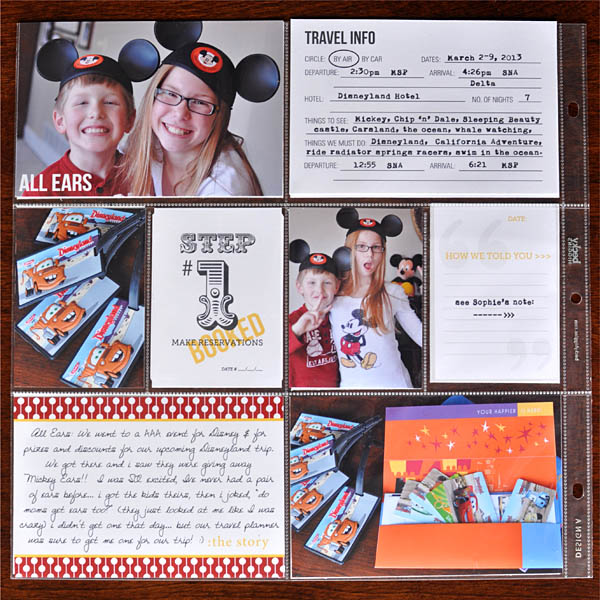
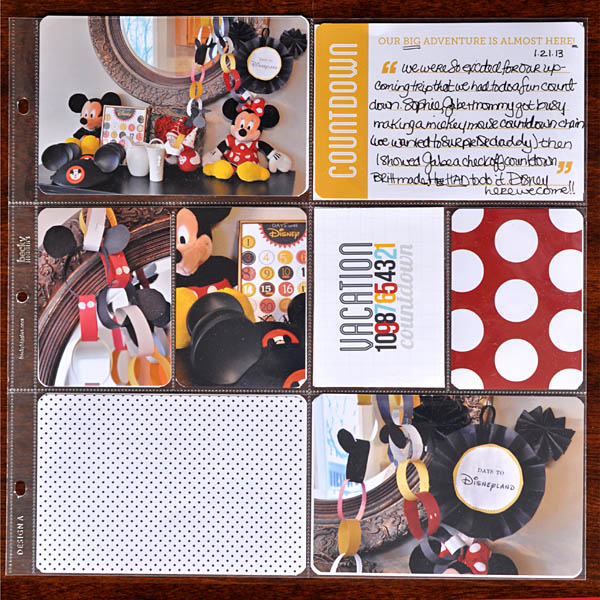
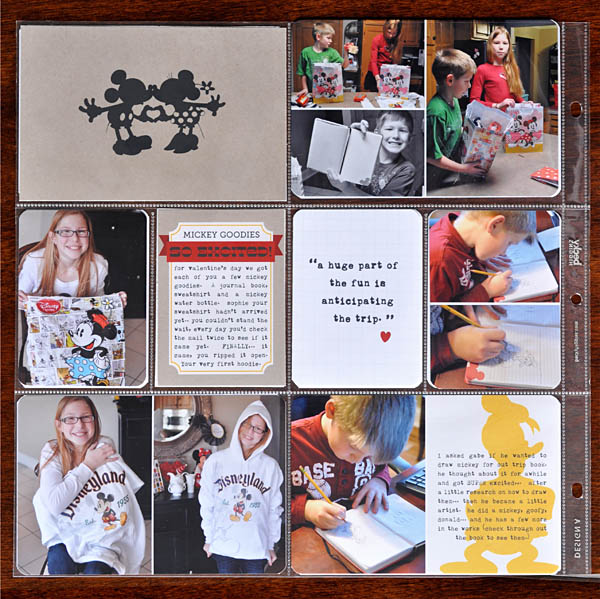
BRITT >>>>> She is just as excited to use these card packs as I am!! She is continuing to conduct her little “experiment” by trying to scrap her entire Sept 2012 Disneyland trip Pocket Style – and Project Mouse is DEFINITELY getting her there. Check out her page!
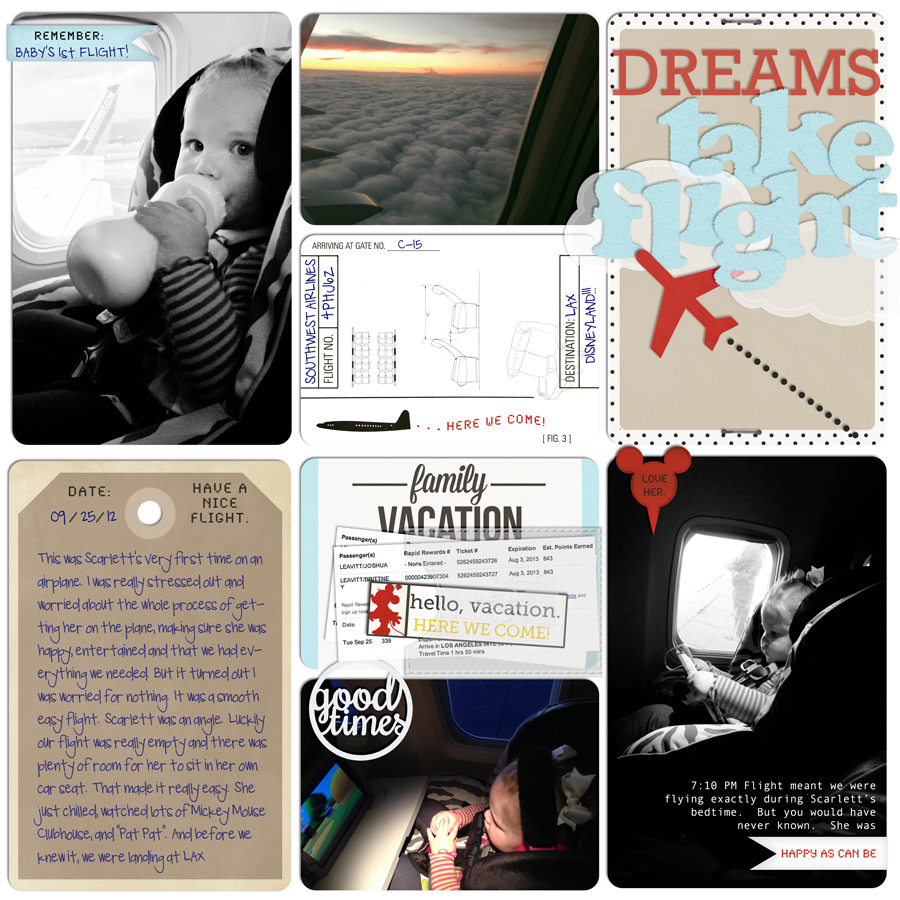
WANT TO SEE EXAMPLES USING PROJECT MOUSE: LEADING UP TO THE MAGIC?
Want to see creative inspiration using Project Mouse: Bundle No. 2?
Click here to see examples from our creative team.
Project Mouse: Bundle No. 3 – “Character Moments”
This bundle we are focusing on all those magical character moments!! Let’s face it – giving that adorable mouse a hug and getting our photo taken with him is like THE HIGHLIGHT of our Disney trips. Am I right?? Add Project Mouse: Bundle No. 3 to your stash and you’ll be pocket scrapping all your character meet & greets in a flash!
Project Mouse: Character Moments
We go through –> Autgraphs and Character Meetings
1) “Project Mouse: Autograph Cards”
2) “Project Mouse: Characters”
3) “Project Mouse: Character Word Bits”

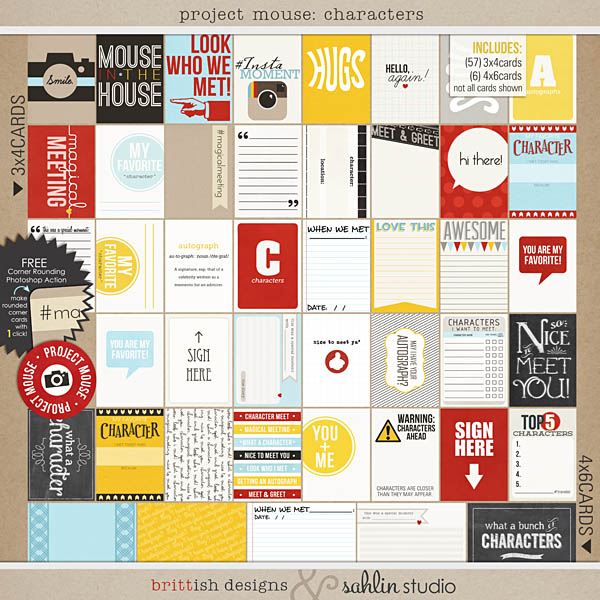
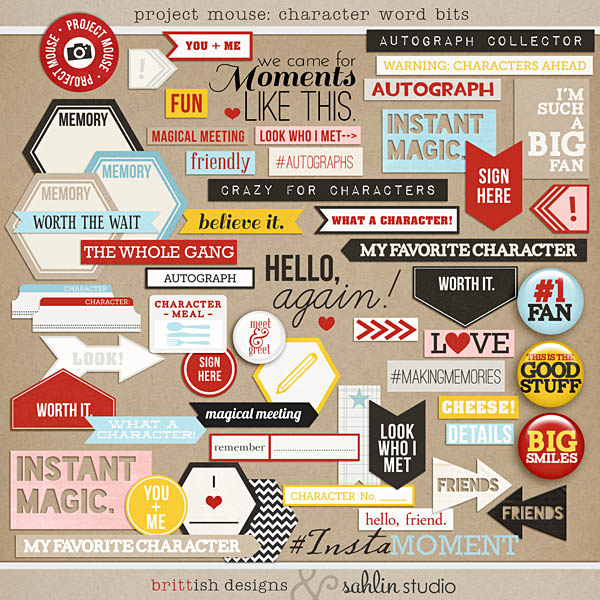
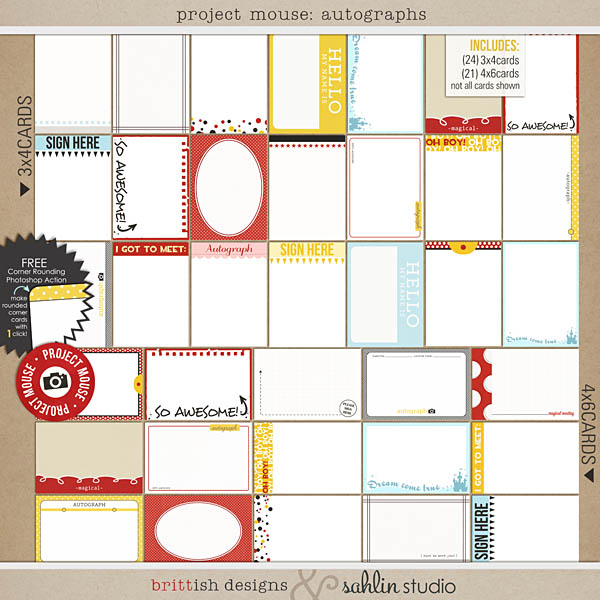
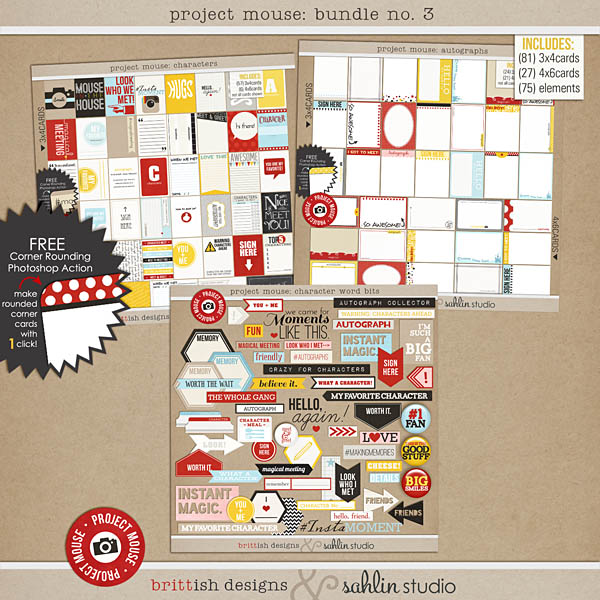
You can purchase all the new products at a 30% savings if you purchase Bundle No. 3.
Printing Them Off to Take Along
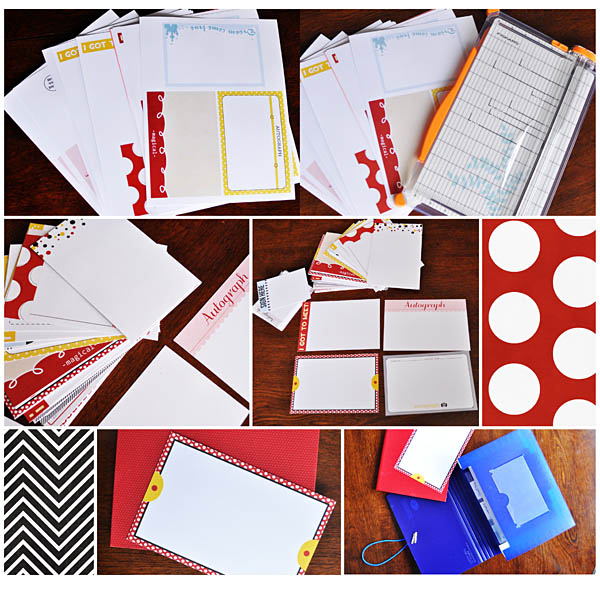
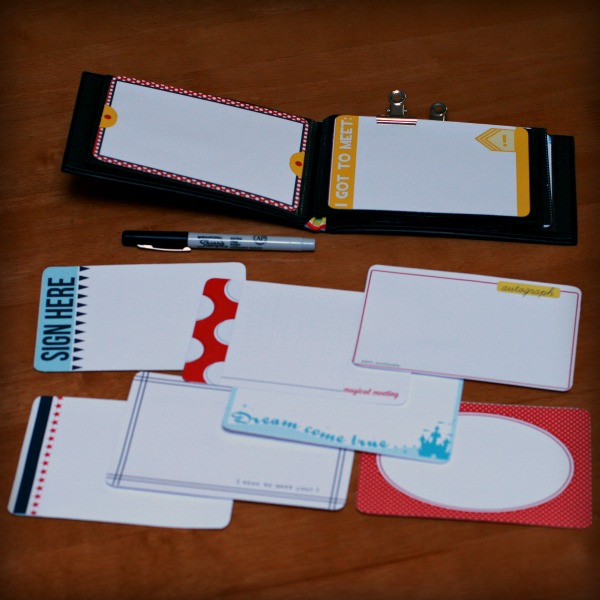
I am SO excited to show you what I did before my trip. I printed the autograph cards before I left, cut them, and placed them into a pouch ready to take with us on our trip. (For those of you wanting printing advice, I will be doing a post about that on the blog this week as well…so stay tuned.) I was pretty excited about this idea, because I knew how easy it would be once I came back home to just slip them right into my Project Life / Project Mouse binder when I arrived back. Here are a few pictures of the cute autograph cards printed out and ready to take with me! Is this not the best thing ever?!
One of Britt’s CT members, Justine, ALSO printed the autograph cards to take along on her trip.
 bellbird
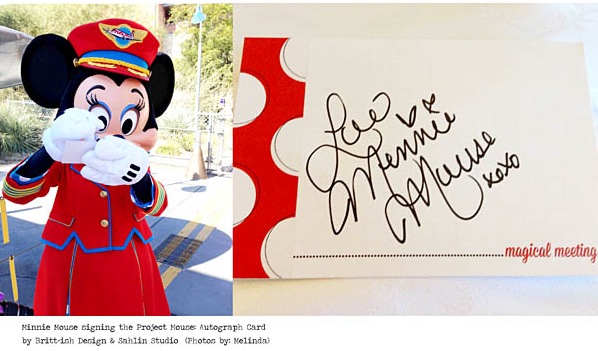
Another of Britt’s CT members, Melinda, ALSO went to Disneyland and took the autograph cards with her. She sent us some super cute photos of Minnie signing her card. How fun is this?? I love the idea of taking ACTUAL Project Mouse products with you to the park!
Documenting Once You’re Back Home
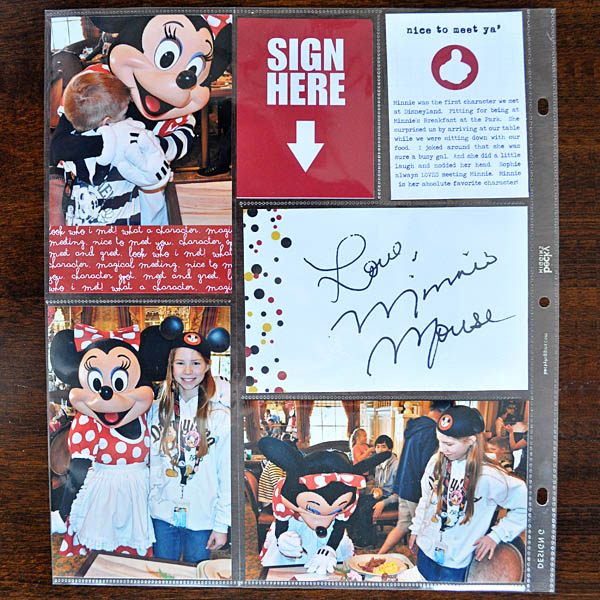
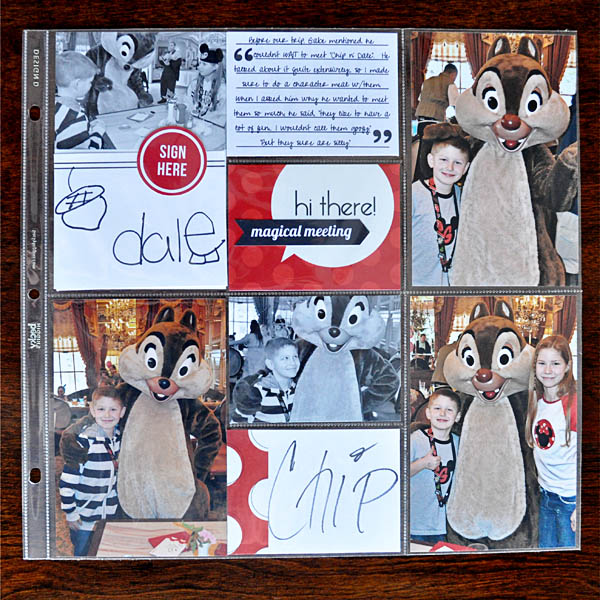
Krista >>> Since I’m back from our first Disneyland trip, I am ready to start creating pages! Because I printed the autograph cards beforehand to take with me and had the characters sign directly on them, it was super easy to just slip them into my Project Life page protectors. Check them out:
 kristasahlin
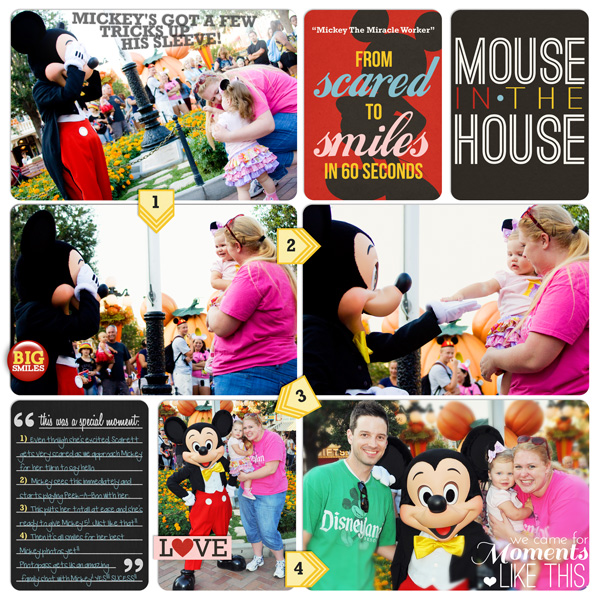
Britt>>> I love Britt’s page and how she described her process of using the digital pocket-styled scrappbooking for this “magical” moment – “This was one of my most favorite memories from this past trip, which normally I shy away from scrapping because it scares me! I don’t know why, it just does. I powered through with my pocket style “experiment” and I have to admit I love the results. It’s photo-centric – the photos tell the story. But there’s heartfelt journaling as well. Yay. Mission accomplished.”
 britt
britt
WANT TO SEE EXAMPLES USING PROJECT MOUSE: Character Moments?
Want to see creative inspiration using Project Mouse: Bundle No. 3?
Click here to see examples from our creative team.
PProject Mouse: Bundle No. 4 – “A Day at the Park”
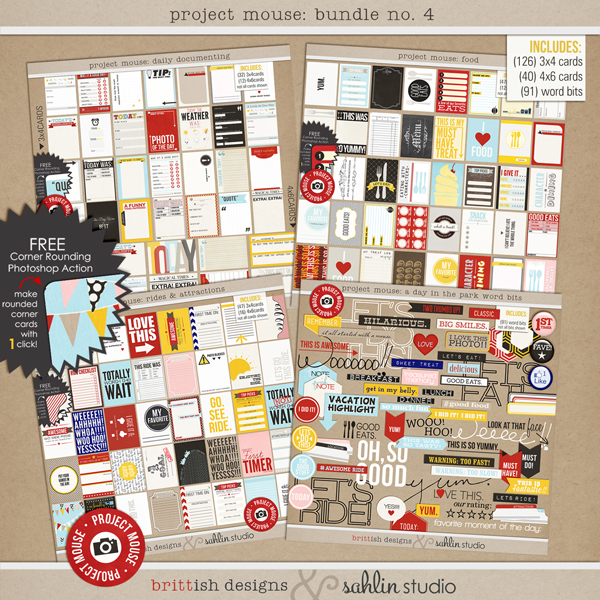
THIS collection…it’s ALL about what happens on “A Day at the Park”! We created an entire pack dedicated to journaling and recording your day-to-day memories on a Disney vacation. There are packs to focus on the rides & attractions, food, daily documenting and a HUGE pack of Day In the Park Word Bits… So from the time you wake up, to your meals, rides, magical memories, snacks, treats, more rides, more fun and back to the hotel, we’ve got it covered!!!
We go through –> your day of capturing Daily Moments, Rides, Attractions, Food
1) “Project Mouse: Daily Documenting”
2) “Project Mouse: Rides & Attractions”
3) “Project Mouse: Food”
4) “Project Mouse: A Day in the Park”
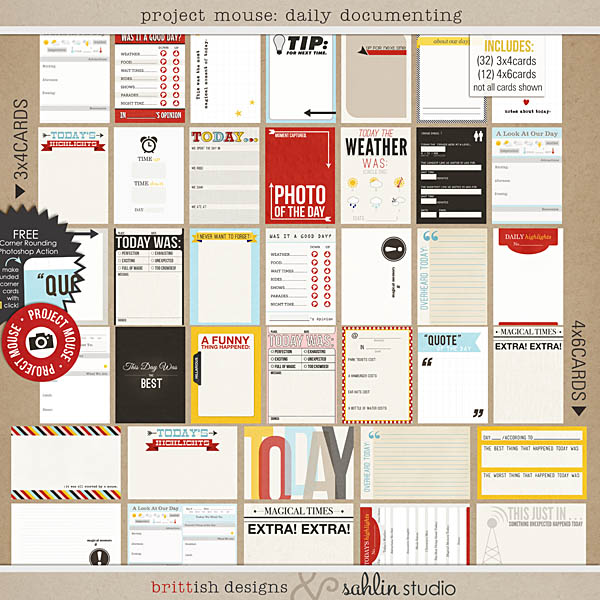
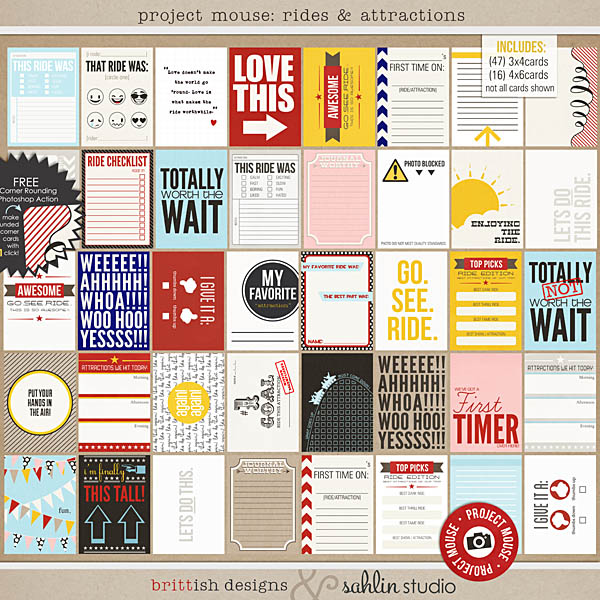
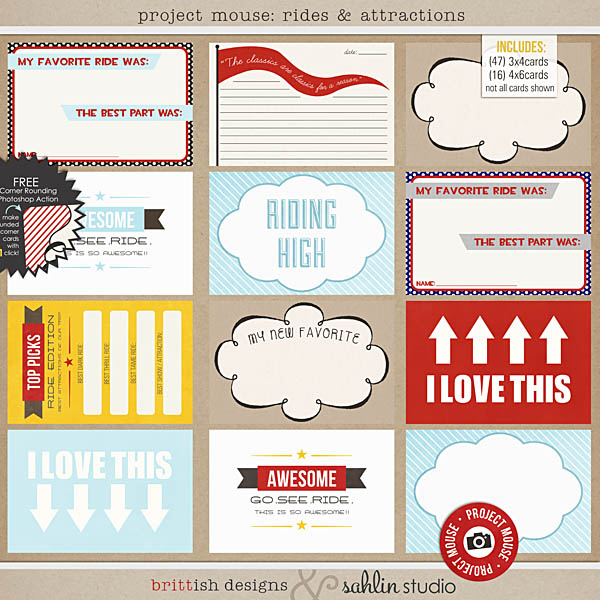
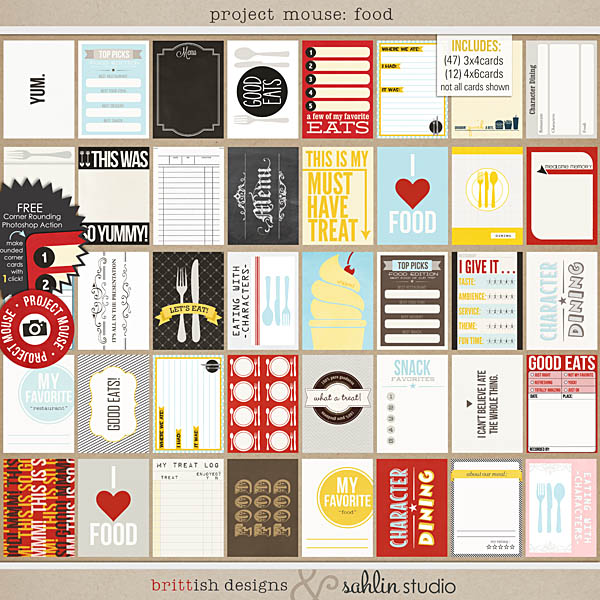
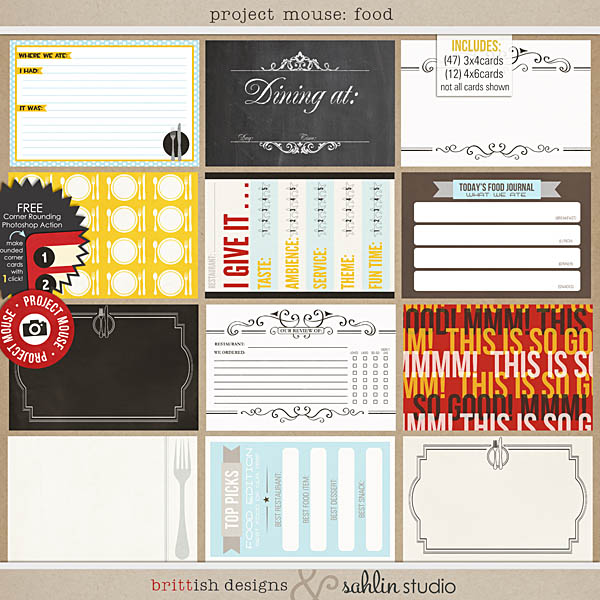
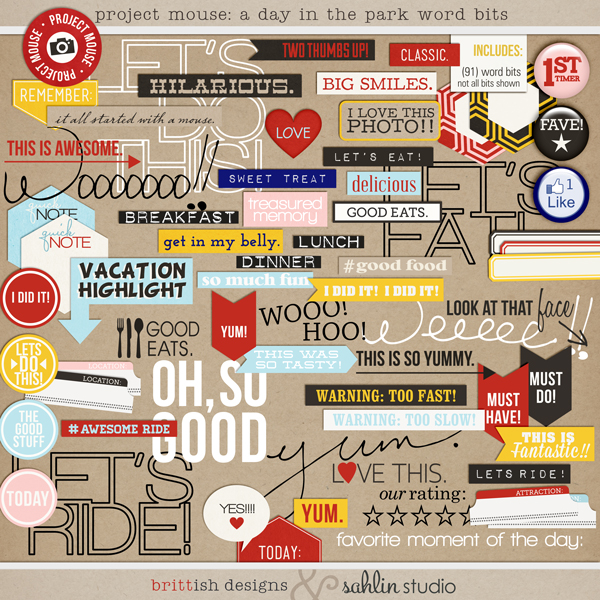
You can purchase all the new products at a 30% savings if you purchase Bundle No. 4.
kristasahlin
 britt
britt
WANT TO SEE EXAMPLES USING PROJECT MOUSE: A Day at the Park?
Want to see creative inspiration using Project Mouse: Bundle No. 4?
Click here to see examples from our creative team.
Project Mouse Flikr group
We are also excited to announce our NEW Flikr group for “Project Mouse”. We wanted to create a community where we could share our “Project Mouse” pages with others that are also documenting their magical memories. It will be a wonderful place to share with others on their Project Mouse journey. We hope you’ll come join the group and post your Project Mouse LOs there too! Pretty soon it’ll be a group FULL of amazing layouts to inspire and delight each other.
You can find us here: http://www.flickr.com/groups/projectmouse/
More Project Mouse to Come
Be sure to check back regularly on our blogs!! We each will be blogging about the whole project from each perspective, PLUS sharing any tips, tricks, /or tutorials about things we learn on the way. Another way to stay in touch would be to sign up for my weekly newsletter. You can sign up here. (pssst…. you get a free kit just for signing up)

February 15, 2013 at 8:23 am
NEW | Project Mouse: Basics + FREEBIE | Sahlin Studio | Digital Scrapbooking Designs says:
[…] mission, backstory, and lots of details can be found in a very special post on my blog today, Welcome to Project Mouse! I highly encourage you to click over and read […]
September 28, 2013 at 1:05 am
Stacie M says:
I stumbled across your Project Mouse a few weeks ago after our return from Disney World, and I have to tell you–it has brought me back to digital scrapbooking! Actually, I’d stopped scrapping all-together, but seeing your darling products and the amazing layouts created using them, I was inspired to give it a go again, and I’m so glad I did! I’ve been having so much fun with your products and, best of all, they make it so easy to create cute pages in a matter of minutes! I do have one question for you. I keep seeing layouts with the darling character silhouettes, which I think were a freebie mentioned in a post above, but I can’t seem to find the link anywhere? I have a layout that is crying out for one of those character cards, and I can’t seem to find anything else that feels quite right… lol
October 7, 2013 at 8:51 am
Krista says:
I am so glad that you are excited and having fun!! This is what it’s all about!! As to the character card freebies… both Britt and I created some character cardsfor our personal albums to shared on our blogs. But… after a comments from a few who were uncomfortable with the fact we shared them… we’ve decided to take them down. BUT, I do believe that Britt has reativated hers on her blog http://brittishdesigns.blogspot.com/ … so be sure to check it out!!
October 7, 2013 at 11:07 am
Stacie M says:
Krista, thank you so much for taking the time to reply to my comment! It’s always so nice and appreciated when blog owners take the time to respond to their readers’ comments! I really want to impress upon you how pivotal your Project Mouse was to my return to scrapbooking. It’s been 9 years since I’ve scrapbooked and I thought I was done with it all-together! I appreciate your letting me know about the character freebie cards. I did head over to Britt’s blog but I still can’t seem to find them. Oh I do hope she reactivates them–I have a few layouts that are crying out for them! lol Thanks again!
October 9, 2013 at 9:01 am
Krista says:
This makes my heart smile just to hear about how this has change or rejuvenated your love of documenting again!! As to the character freebie cards, perhaps try emailing her!! I know she mentioned making them live again. I couldn’t hurt to ask.
February 15, 2013 at 8:25 am
ss-blogteam says:
What an amazing collection! This is going to be a must have for all mousers! Luv it! 🙂
February 15, 2013 at 9:21 am
Jennifer Butler says:
Does the corner action work with photoshop elements 11?
June 7, 2013 at 7:07 pm
DW says:
I have elements 11 as well. Did you ever find out if the action works with it?
February 15, 2013 at 10:35 am
Donna says:
Wonderful idea. Beautiful kit. Will you have a Pinterest board just for the Project Mouse ideas?
February 15, 2013 at 10:54 am
Keren says:
Get a wheel chair! It will always get you first in line! HA!
February 15, 2013 at 11:43 am
jen s says:
This is just fabulous!! We are total Disney nuts – my husband & I met there, I worked for the Mouse for over 11 years and he just celebrated his 15th anniversary. We go there quite often and I’ve used PL for the last year – so totally love that you’ve created this!! I always think I’m going to create these things on my own, but then I never do… This is awesome – I can’t wait to purchase & use on our pics from last night! I would encourage you to add a Princess line too as that’s a huge part of any Disney vacation for families with daughters. Great job – super pumped!!
February 15, 2013 at 11:48 am
AmyHip says:
love. love. LOVE! We are hardcore mousers and go to Disney World just about every year. I have two trips that I have yet to document, and a trip to Disneyland this coming May. I’m buying the bundle right now!!
February 15, 2013 at 12:23 pm
Lucy says:
Love this, perfect timing. We are going to Disneyland for the 1st time in March. So excited! So happy I get another chance to try the project life thing. Wasn’t ready in January but I think our Disney trip will best be documented the Project Mouse way! Thanks so much!
February 15, 2013 at 12:25 pm
Shannon says:
What a fantastic idea Krista! The core kit looks spectacular 🙂
For Disneyland tips, I’m full of them (been WAY too many times to count). #1 Advice: Go early, take an afternoon break when it gets crowded and come back early evening.
Also, how busy it is has a lot to do with the time of year you’re going. There’s a great service by touringplans.com that tracks the historical data for every day of the year: http://touringplans.com/disneyland-resort/crowd-calendar
If you need more tips or want recommendations on where to eat, etc. feel free to email me 🙂
February 16, 2013 at 9:24 am
Jlynn Wilkinson says:
I have TONS of these pages sitting in my spare bedroom upstairs and never really knew what to do with them (from when I switched from post bound to three ring) and now I am digital only.
Not sure if this is the right forum to ask the question – but how do I print the cards for Krista’s idea? I love that idea. BUT then if I want my kids own handwriting on the cards but want to make ONLY digital like Britt, how do I get that handwriting into my digital page? scan? and how do I make it look like a traditional page – just lining up the cards?
oh my, it’s so confusion, but I love the idea of being able to quickly put together our summer trip to Disneyland. I’m STILL trying to finish 3 trips to Disneyworld from the past 5 years. sigh 🙁
February 16, 2013 at 7:52 pm
Krista says:
Good for you to look at getting these pages finished. No time like the present!!
Printing the cards out (on paper)… SUPER easy!! I start a 8 1/2×11 document in Photoshop, slide the cards I want onto there, then hit print. I found using a matte photo paper works the best. Cut out and done. If you want to remain digital AND having your kids handwriting the card it is a little trickier, but doable!! You have a couple option: you can either 1) TYPE (what they wrote) onto the digital card, or maybe get their handwriting into a font OR 2) the easiest may just be scan it, and then slide the scan onto your digital page. It depends how important having their handwriting is to your project. As to how to scrap them on your digital page…. it is TOTALLY personal preference. An easy way it to line it up in a Project Life style format… so people LOVE this for the simplicity, some people find it challenge from regular digi-scrapping. It’s all in what you like. Hope this info helps!! Good luck!
February 16, 2013 at 8:28 pm
Jlynn wilkinson says:
Awesome thank you. I love the idea of making autograph pages too!
February 16, 2013 at 9:25 am
Jlynn Wilkinson says:
and thank you for the freebies to start! they’re AWESOME
February 16, 2013 at 7:45 pm
valeria says:
OMG! i love mickey but i don’t have money and im from another country:/ i hope some day i can buy it its so gorgeous!
February 20, 2013 at 7:06 pm
Digismacker says:
Why yes, yes they are.
February 22, 2013 at 7:39 am
Project Mouse: "Leading Up to the Magic" + FREEBIE | Sahlin Studio | Digital Scrapbooking Designs says:
[…] Project Mouse is about… our mission, backstory, and details can be found in this post here, Welcome to Project Mouse! I highly encourage you to click over and read […]
February 22, 2013 at 1:19 pm
Project Mouse: Our “Honeymoon” and Ryan’s First Trip | finn & roo says:
[…] hope that, if you’re a Disney fan, you check out Project Mouse! While it’s clearly well suited for documenting your trip, as you can see, it’d be […]
February 23, 2013 at 2:11 am
Jenny B. says:
I am so excited about Project Mouse! I just bought both of the first two bundles, and the timing couldn’t be more perfect as we are just starting to plan our trip! I never would have thought to record details about all the planning I’m doing, but now I will! Thanks so much for all the work you and Brittney put into these kits. They are AMAZING!
February 23, 2013 at 6:58 pm
Brandy Layton says:
We just booked our 6 day 5 night trip to Disney World Last week..I new I was going to use this format as I do PL. This could not have come at a more amazing time! Just bought both and thank you for making it easier for me 🙂 off to prep and memory keep. xoxo
February 25, 2013 at 8:55 pm
Krista says:
Eek!! So happy for you. I’m glad that we could be with you on your DW and memory keeping journey.
February 25, 2013 at 4:58 pm
Liz says:
LOVE this!! Any plans on making these things in “paper” format, for those of us that don’t do digital (and don’t have Photoshop) =) I know I need to get on the bandwagon!! LOL
February 25, 2013 at 8:52 pm
Krista says:
Hi-ya Liz!! I’m going paper with this project so it IS do-able. The files DO include printable jpegs that you can print on your home printer. OR, I will be doing a tutorial on printing these from a home computer, I will try to focus on another program that is not Photoshop. ALSO… I’ve been doing ALL my printing of the cards at Staples. You can take the files there and they can set it up for you. It has been a really inexpensive option. I got most of the cards printed for about $12. Stay tuned to the blog in the upcoming weeks for more info and tutorials.
February 25, 2013 at 10:26 pm
Emily Adams says:
Wow – I am in love! And I’m thinking about all the Disney pictures and “stuff” I have sitting in my scrapbook room closet. I signed up for the newsletter. I can’t wait to see more!!
February 26, 2013 at 7:05 pm
Becki Clark says:
OMG!!!! LOVE, LOVE, LOVE this! I am assuming there is no way to get this in paper form? I don’t have Photoshop and no clue how to do digital. I would LOVE to pay someone to print all this for me. Seriously. Please help. We are going to Disney World May 2014
February 27, 2013 at 2:54 am
Vikki says:
Hi, I’m from Australia and do not use digital, however I would still be willing to buy the bundles in the hope I could get someone here to print the cards for a fee. Could I do that?
Also will this incorporate Disneyworld as well cause we’re bigger fans of Florida than La and hence more photos from our 4 trips.
Thanks
Vikki
February 27, 2013 at 9:02 am
Krista says:
Absolutely!! Print them off to use. That is how I am using it for my most recent trip too!
February 28, 2013 at 9:11 pm
Rebecca says:
OMG – amazing! Love, love, love these products. I have two trips to document and now I am beyond excited. Thank you so much for putting this all together!
March 25, 2013 at 10:26 pm
Leslee says:
I managed to stumble across your site today. And I am so thankful I did. Your product has entered my life at the perfect time as we are starting to plan our trip to Disneyland in the fall with my daughters, son-in-law and 3 amazing grandchildren.
I am interested in being able to print these from home as I am not a digital scrapper, but want to do it Project life style.
Thanks for creating such an awesome pRoduct. And I so look forward to recording our trip!
Leslee
April 6, 2013 at 5:56 pm
Jodie says:
I am using Project Life to scrapbook a trip my family took to Disneyland and Los Angeles 20 years ago when I was a child!!! These products are fantastic and I can’t wait to use them in my album. I love that many of them are open ended so I will be able to use them throughout my travel album, not just for the days when we were at Disneyland. Thank you so much for these products!!!
April 10, 2013 at 10:40 pm
Heather says:
OMG!! We are going to Disneyland in November for my son’s 10th birthday (and my 36th) and I am looking at doing a homemade smash book like what you have posted and I am so going to be buying these bundles! Thanks for the freebies!! I have already signed up for your newsletter! I am so excited
April 16, 2013 at 2:51 pm
http://theprosperityproject.blogspot.co.uk says:
of course like your web-site however you need to take a look at the spelling on quite a few of your
posts. Many of them are rife with spelling issues and I in finding it very bothersome to tell the
truth on the other hand I’ll certainly come back again.
April 16, 2013 at 8:40 pm
Krista says:
HAHA!! I never call myself a good writer…. I like to think it’s just part of my charm. Don’t hold it against me. I think I try to do so many posts, tutorials, products and freebies that I get stretched a little thin. Please don’t let it bother you too much. 😉 Thanks for stopping by.
July 20, 2013 at 12:24 pm
Kristi West says:
This is so cool. I am doing my first Project Life album right now and plan on doing another for our Disney Halloween trip. This gives me some great ideas, especially for an autograph book!
July 30, 2013 at 11:32 pm
ShinPark says:
OMG
August 6, 2013 at 8:03 pm
Beth Arp says:
See some of the directions for printing, I am going in October for Halloween and want to do something different for this trip. This will definitely be fun to work with.
November 21, 2013 at 7:07 pm
Project Disney: The Hotel | Craving some Creativity says:
[…] The layout also incorporates a card purchased as part of a pack from Sahlin Studios. If you like the color scheme but don’t want to design your own cards, take a look at her purchasable packs. http://sahlinstudio.com/welcome-to-project-mouse/ […]
February 28, 2014 at 9:43 pm
Disney Project Life Album - Craving some Creativity says:
[…] If you haven’t seen my Disney Project Life Style Album up to this point, you can see some other pages here. As with my other pages, I am using some cards from Sahlin Studios. […]
March 25, 2014 at 7:42 pm
Milagros Arango says:
Hi I have bought a bundle but it does not print as brightly as I would like do you have any suggestions?
November 8, 2014 at 2:15 pm
Scrapbook Designs For Project | The Scrapbook Idea says:
[…] Welcome to….Project Mouse! | Sahlin Studio | Digital … – I stumbled across your Project Mouse a few weeks ago after our return from Disney World, and I have to tell you–it has brought me back to digital scrapbooking!… […]
February 1, 2015 at 10:40 am
Naz says:
These are all beautiful and I’m so excited to use them for digitally scrapbooking our recent holiday.
I have one question though. I use my iPad and the PL app for my pages. Is there a way to use Project Mouse in this at the moment (ie without access to photoshop etc). Is it possible to buy the sets with the cards as individual elements which I could then import into the app as photos? Or is there another workaround? Thanks for any advice 🙂
February 3, 2015 at 1:14 pm
Krista says:
Yes, I know many of my team members use the PL app and scrap on the go on their phones and ipads. They’ve used Dropbox for accessing these cards in the PL app. Maybe try googling Dropbox and Project Life app? See what you come up with?
February 13, 2015 at 3:29 pm
Tiffany says:
I just found your blog and I am in love with your Project Mouse! I am headed to Disney World in three weeks and want and to use your bundle. I am not a digital kinda girl so I plan to print and put them in a smash book I intend to create. I do not have photo shop or any other fancy software. Can I use the basic Adobe Acrobat to open and edit and print the files?
February 15, 2015 at 11:10 am
Krista says:
YAY!! I’m SO excited FOR you!! Get ready to have fun!! And yes, you can use simple programs to open/print files. Or feel free to use even programs like MS Word or something to make your own print sheets, etc!! HAVE FUN!!
March 20, 2015 at 11:26 am
Project Mouse | Basic No. 2 + FAN-niversary | Sahlin Studio | Digital Scrapbooking Designs says:
[…] years ago when Britt and I started on this Project Mouse journey I’m not sure either of us anticipated what an amazing journey was in store! We have just […]
March 28, 2015 at 10:26 pm
Kara says:
Love the site and all the great cards. I’m not a digital scrapper, so I had to have a store set up the cards in Photoshop. Could you include a sheet that has 6 of the 3×4 cards set up in PDF’s? It would be so helpful to be able to print at home. I also ordered a few sets the other day, and didn’t get the free gift. Any reason? Hope you can look into this for me. thank you
March 29, 2015 at 10:37 am
Amber says:
I downloaded this set on the 28th (same day you posted) and there is a file that has all the cards on one 8 1/2×11. I was so excited to see that because I was worried about doing that myself too. I am printing them at home as I type and they are beautiful!
March 29, 2015 at 10:42 am
Amber says:
I downloaded this set early this morning and it has a file with it that has all the cards fit on 8 1/2 x11. I was excited to see this because I was worried about doing that myself. I am printing them at home as I type and they are beautiful! I got the bundle #2. Don’t know if that makes a difference because it was bundle.
March 29, 2015 at 10:43 am
Amber says:
I retyped because I didn’t see it show up first time. My computer is touchy, SORRY:)
March 29, 2015 at 10:35 am
Amber says:
I am SOOOOOO excited about this set!! We leave for Disney World in 72 days…It is me and my husbands first time to Disney as well as our 5 and 8 year old. Our 8 year old will turn 9 while we are there! (Not planned that way on purpose just happened) so this set is absolutely perfect to start documenting our excitement and all the crazy planning we have been doing. I am printing at home right now! It is beautiful! I am more a traditional scrapbooker than digital, and I love the ease of the “pocket style” scrapbooking. I CANT WAIT TO PUT IT TOGETHER.
One question, is there a set that has character/autograph cards for the princesses? I have two girls! Thanks for this awesome set!
November 7, 2015 at 7:30 pm
Mary Beth says:
So….forgive me, but I’m BRAND NEW to this whole Project Life stuff. I LOVE what I see, but when I purchase it’s a digital download correct? I print it all myself??
Thanks!
November 9, 2015 at 4:35 pm
Krista says:
Get ready to have SO much fun!! Yes, it is a digital download. So after you purchase you can use it digitally as clip art (in any way), and to print on your home printer or to print at a print shop. So many uses. Best thing?? Use them again and again!! HAve fun!!
October 4, 2016 at 4:47 pm
Project Mouse: Our "Honeymoon" and Ryan's First Trip says:
[…] hope that, if you’re a Disney fan, you check out Project Mouse! While it’s clearly well suited for documenting your trip, as you can see, it’d be […]
April 6, 2017 at 10:11 pm
Amy says:
I just stumbled onto your sight. Project Mouse is brilliant. Just browsing your site/product brings back many warm fuzzy magical moments. Absolutely in love right now.
April 7, 2017 at 11:27 am
Krista says:
Thank you!! I’m so glad that it inspired you, and thanks for the kind words. Project Mouse is my favorite to design for.
August 18, 2017 at 3:36 pm
Ariana says:
We got back from a trip to Disney and I wanted to scrap everything! I was so thrilled to find Project Mouse!! However, I’m still a traditional scrapbooker, that’s just how I like to do it right now, so how can I use it for that? I would love to purchase pretty much every bundle because they’re all gorgeous but I’m not sure how to print it or even if I can, and how all of it works. Help?? Thanks!!
December 12, 2017 at 12:54 pm
FirstMariano says:
I see you don’t monetize your website, don’t waste your traffic, you
can earn extra cash every month because you’ve got high quality content.
If you want to know how to make extra $$$, search for: Boorfe’s tips best adsense alternative
March 6, 2018 at 8:18 am
Claire Edmondson says:
I ordered your project mouse “cars”. Downloaded to computer. When I look at the sample at the bottom, I realize I don’t have most of those papers. Don’t know what to do. Please help
March 9, 2018 at 9:23 am
Krista says:
First of all, CONGRATS!! Get ready to have fun!! As to your papers, without seeing your computer it’s a little difficult to talk you through. But I recommend deleting your paper files. Go back to TLP, Re-download your papers. There are TWO zipped paper folders (because the files are so large). Once you unzip each of the two folders, then you can join them together. You should see all of the papers there then. 😉
March 9, 2018 at 7:54 pm
Claire Edmondson says:
I lost the email. it was supposed to be saved but it didn’t save. can’t find it anywhere. sorry